
Lipscomb County Court Record Requests
The county offers no online document viewer and no copy-request form. Four channels work: the counter, telephone, mail, and email. The District and County Clerk pages list 101 South Main, P.O. Box 70, Lipscomb, TX 79056, phone 806-862-3091, and chrissy.dunn@co.lipscomb.tx.us. Doors open 8:30 a.m. to 5:00 p.m. The office closes from noon to 1:00 p.m. Justice-court records go through the JP at 806-862-3844. For a municipal case, contact the city court that issued it.
- Identify the court and exact cause number from the source paper.
- Choose docket sheet, filed paper, judgment, transcript, or certified copy.
- Call first to confirm custody, public status, page count, fee, and delivery.
- Send a written request by mail or email with the complete identifiers.
- Pay only after the custodian confirms the amount and payment route.
- Check the returned court, cause, document date, and certification.
Nothing is promised, from same-day service to a public terminal to any archive index or response time, so call before travel.
Three Lipscomb Record Layers
Know what you are asking for. A docket sheet is the dated index of a case. It lists the filings, settings, orders, and outcomes. The filed document is the actual petition, indictment, motion, notice, order, judgment, or exhibit. It sits behind one of those entries. A certified copy adds the clerk's certificate or seal. That seal is what you need for official proof. Request each product by name.
| Layer | Best use | Request detail |
|---|---|---|
| Docket | Understand chronology and status | Date range and current setting |
| Filed document | Read the paper's full terms | Title and filing date |
| Certified copy | Authenticated court proof | Specific signed instrument and certification |
A docket line is not a signed order. Likewise, a payment receipt is not a disposition, so get the underlying paper when the outcome matters.
Kinds of Court Records
Each Lipscomb court keeps its own records. The District Clerk holds 31st Judicial District Court felony, major civil, and family files. The County Clerk holds constitutional County Court misdemeanor and probate files. The JP handles traffic, Class C, eviction, small-claim, and debt-claim matters, while Booker and Follett run separate municipal channels for their city cases.
- Docket sheets and chronological registers
- Petitions, indictments, complaints, answers, and motions
- Notices, settings, orders, judgments, and dispositions
- Probate, family, small-claim, eviction, and traffic papers where public
- Appellate clerk records and reporter transcripts through their proper custodians
One caution: the County Clerk's official land-record index is not a court docket. State appellate and federal records sit apart from local trial files entirely.
Lipscomb Clerk Record Offices
Chrissy Dunn serves as both District Clerk and County Clerk. Still, the two record sets stay separate. A request that says only "Lipscomb County case" can get routed slowly. It can also land in the wrong collection. So be specific. Say "31st Judicial District Court" for a felony, major civil, or family matter. Say "County Court" for a county misdemeanor or probate matter. The District Clerk page and County Clerk page confirm the shared phone. They also confirm the request route. Neither publishes a public case database, copy queue, or certified-copy cutoff.
Court Records: What They Contain
A full file often runs well past its docket. What is inside depends on the case type, public-access rules, and what was actually filed. The county posts no sample docket or case-number format online. Copy the identifier straight from the source document. Do not guess at a pattern.
| Cause number | The clerk identifier, shown as exact number from source. |
|---|---|
| Pleadings | Petitions, complaints, indictments, answers, motions, and responses. |
| Process | Citation, service, appearance, bond, and notice entries where applicable. |
| Orders | Signed rulings, judgments, dismissals, sentences, and enforcement papers. |
| Docket | The chronological index of filings, settings, results, and appeal events. |
| Exhibits | Items may be retained, returned, restricted, or unavailable electronically. |
Name each document title and its approximate date when you ask. "The whole file" often costs more and takes longer than a focused request.
Lipscomb Transcript Requests
A transcript captures what was said in the courtroom. It comes through the court reporter, not as an ordinary clerk copy. Nori Galvan is the reporter for the 31st District Court. The county publishes no transcript rates or turnaround times. Give the court, cause number, proceeding date, and the portion you need. Then ask who prepares the reporter's record and what deposit or format applies. An appeal may require both a clerk's record and a reporter's record. The District Clerk handles the filed papers. The reporter handles the transcript. Ordering one does not produce the other.
Lipscomb Court Copy Fees
Know the difference before you pay. A plain copy just reproduces the record, while a certified copy carries the clerk's authentication. Ask for certification explicitly, confirm the current price, and remember that statutory baselines are not a complete Lipscomb County fee schedule.
| Item | Baseline |
|---|---|
| District search without cause number | $5 |
| Certified district paper copy | $5 certificate plus $1 per page |
| County Clerk certified paper | $5 certificate plus $1 per page |
| Justice-court certified copy | $2 first page plus $0.25 each added page |
Lipscomb District and County Clerk
101 South Main, P.O. Box 70
Lipscomb, TX 79056
806-862-3091
No Lipscomb Court Copy Form
No official court-copy form exists, so build a focused written request yourself. Include your contact information, the court, cause number, case style, party names, filing or entry date, document title, plain or certified choice, number of copies, delivery method, and return address, plus a request for a fee estimate. Email is convenient but do not assume the clerk will email certified originals. Fax acceptance for court-record requests is not stated anywhere. The payment vendor links on county pages are payment tools, not case search or copy-order systems. Ask which payment method fits your request. A precise letter beats a vague one every time. Clear requests move faster.
Access Rules for Court Records
Many docket entries and case papers are public. Juvenile, sealed, expunged, protected-address, grand-jury, and sensitive-identifier material can still be withheld or redacted. A public docket may show that an event occurred. But the underlying image stays off limits. Missing online content does not mean the case or the paper does not exist.
Texas access boundary: Judicial Branch policy explains that Rule 12 addresses administrative judicial records, while individual case records follow clerk, court, statute, rule, and order procedures.
The Texas Public Information Act is not a universal route around court-file restrictions.
If access is denied, ask two things. Ask which custodian holds the record, and ask for the legal basis of the denial. A Rule 12 administrative denial carries its own review route, while an adjudicative case-file issue follows the court's applicable process.
Older Lipscomb Court Files
No rule tells you how long Lipscomb County keeps its court records. The county posts no retention dates, no microfilm catalog, and no archive retrieval plan. So ask the clerk directly how an older file is stored. It might sit in bound books. It could be on index cards, on microfilm, or in local electronic storage. If the cause number is lost, give an approximate filing year plus the party names.
Chapter 51 lets clerks rely on electronic copies. But it does not say which Lipscomb County years are scanned. A docket index may turn up before any document image does. Request the docket first, then narrow the document search by title and date. That approach saves time and keeps an archive gap from looking like a sealed case.
Inspect a Lipscomb Court Record
Check the record the moment it arrives. Confirm the court name, cause number, style, document title, filing or signature date, page count, and certification. If the clerk handed over only an index, ask whether the named order or judgment can be pulled separately. Redactions may appear; never guess at the hidden text. A certified copy is one the issuing clerk marks as certified, and a scan or a payment receipt should never be relabeled as one.
Missing or illegible pages happen. When one turns up, identify it by docket date and title, then ask the custodian whether a cleaner or complete copy exists.
Lipscomb Record Source Views
The County Clerk page provides contact and official-record links.
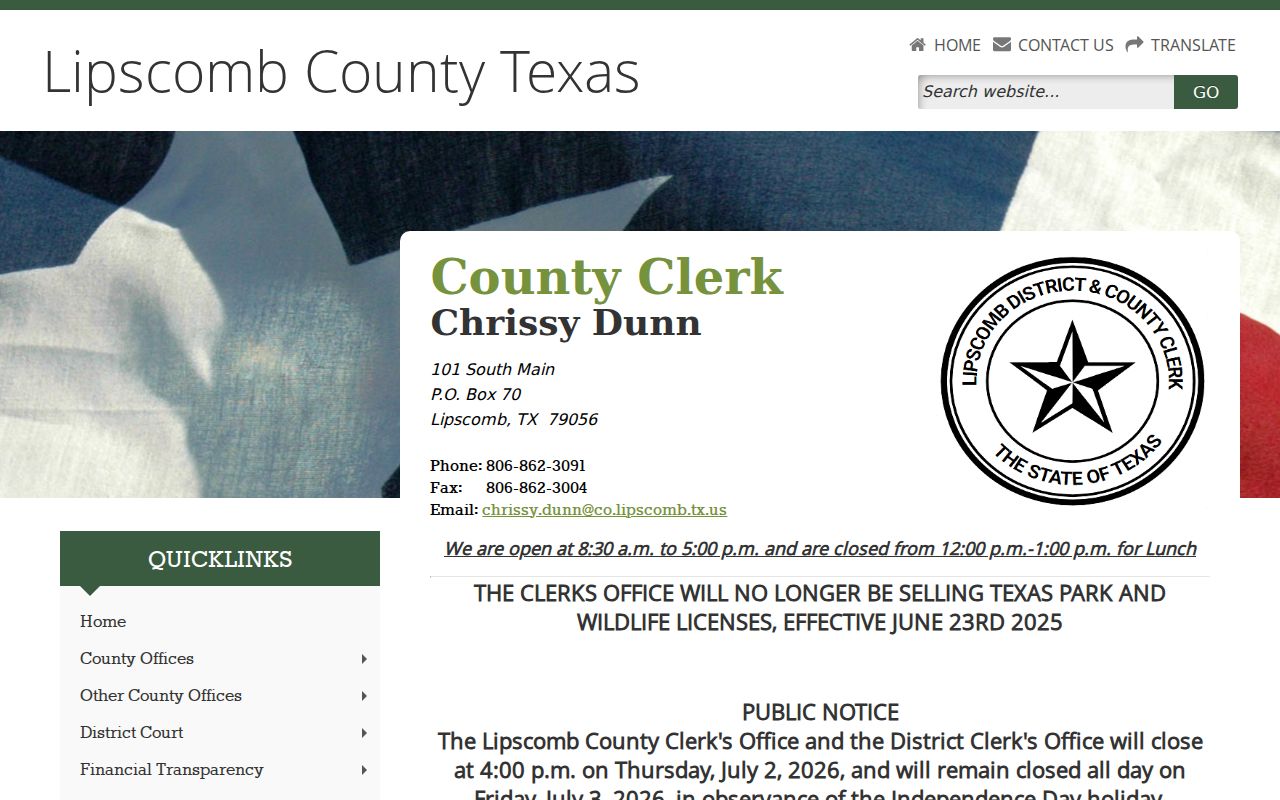
The official page also helps you tell Lipscomb County court files apart from other public records. The Texas Judicial Branch open-records policy draws the line between Rule 12 and the TPIA.
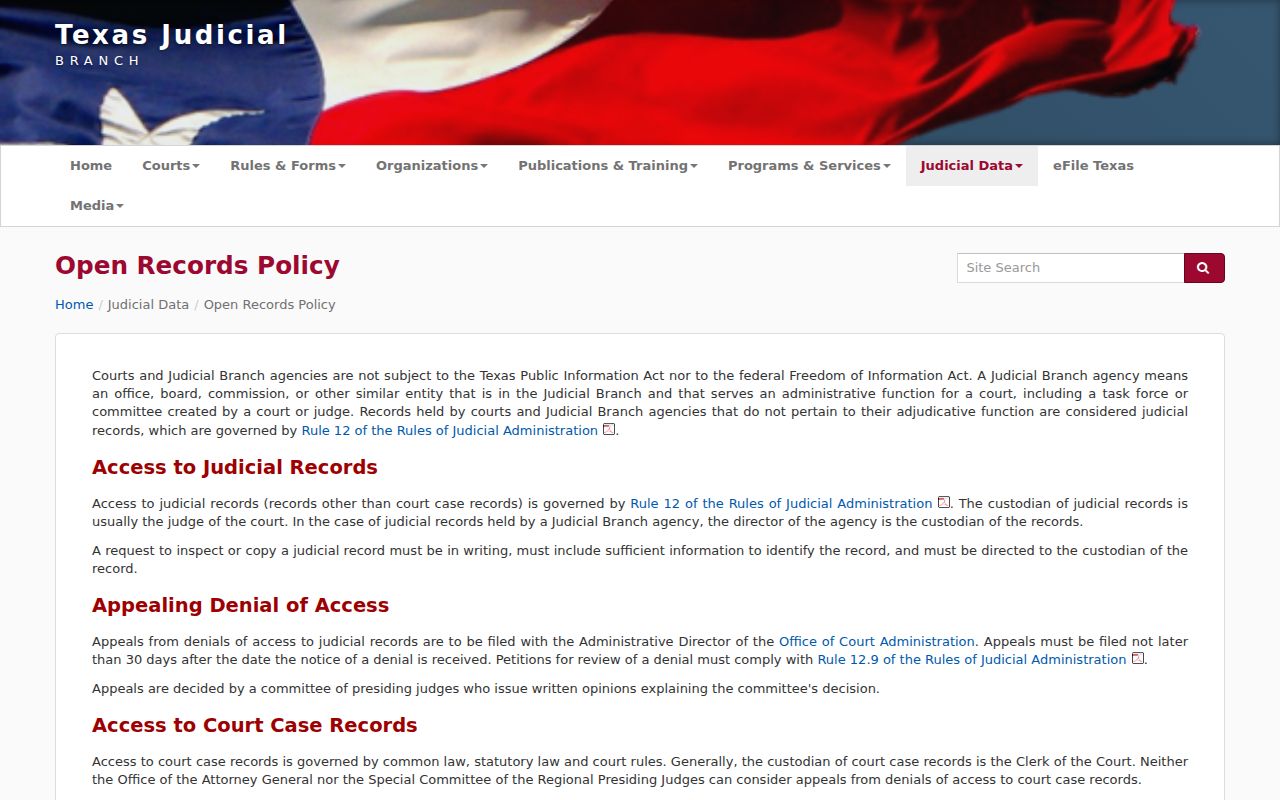
The policy supports using the correct procedure for administrative judicial records and case files.
Lipscomb Court Statute Source
The official Texas Public Information Act text sets out the state copy-charge rules where they apply.
The statute does not override court-specific access rules for adjudicative files.